

































Top 10 Website Heatmap Tools for Digital Marketers
Explore the 10 best website heatmap tools for digital marketers. Compare features, understand visitor behavior, track clicks, and improve website performance.

Driving traffic to your website is just the first step in achieving your digital marketing goals. Understanding how visitors interact with your pages, engage with content, click on calls-to-action (CTAs), and navigate your site is essential for identifying opportunities to improve user experience and increase conversions.
While traditional website analytics tools track metrics like traffic, bounce rates, and conversions, they often fail to provide a complete picture of visitor behavior. This limitation makes it challenging for marketers to pinpoint usability issues, understand user preferences, and identify which website elements need improvement to enhance engagement.
This is where website heatmap tools come into play. They visually represent visitor interactions through click, scroll, and movement heatmaps, showing which sections capture attention and which areas are overlooked. These insights enable marketers to evaluate page layouts, the placement of CTAs, content engagement, and potential navigation barriers.
Selecting the right tool can be daunting due to the variety of available features, integrations, and pricing plans. To make your search easier, we have compiled a list of the 10 best website heatmap tools for digital marketers, comparing their features, usability, pricing, and ideal use cases to help you make informed, data-driven decisions for website optimization.


What Is a Website Heatmap Tool?
A website heatmap tool is an analytics solution that visually shows how visitors interact with various website elements.
It uses colors to display areas with high and low engagement. Usually, warm colors like red and orange show more activity, while cool colors like blue and green indicate less activity.
For example, a click heatmap shows which buttons are clicked most often, while a scroll heatmap shows how far visitors move down a webpage.
Digital marketers use these insights to:
-
Understand visitor behavior and engagement patterns.
-
Identify underperforming website elements.
-
Improve landing page layouts.
-
Optimize calls to action (CTAs).
-
Find content sections that visitors overlook.
-
Improve the overall user experience.
-
Identify opportunities to increase conversions.
Understanding how visitors behave helps marketers find website problems, enhance the user experience, and make more effective updates that support search engine optimization, boost engagement, raise conversions, and improve overall website performance.
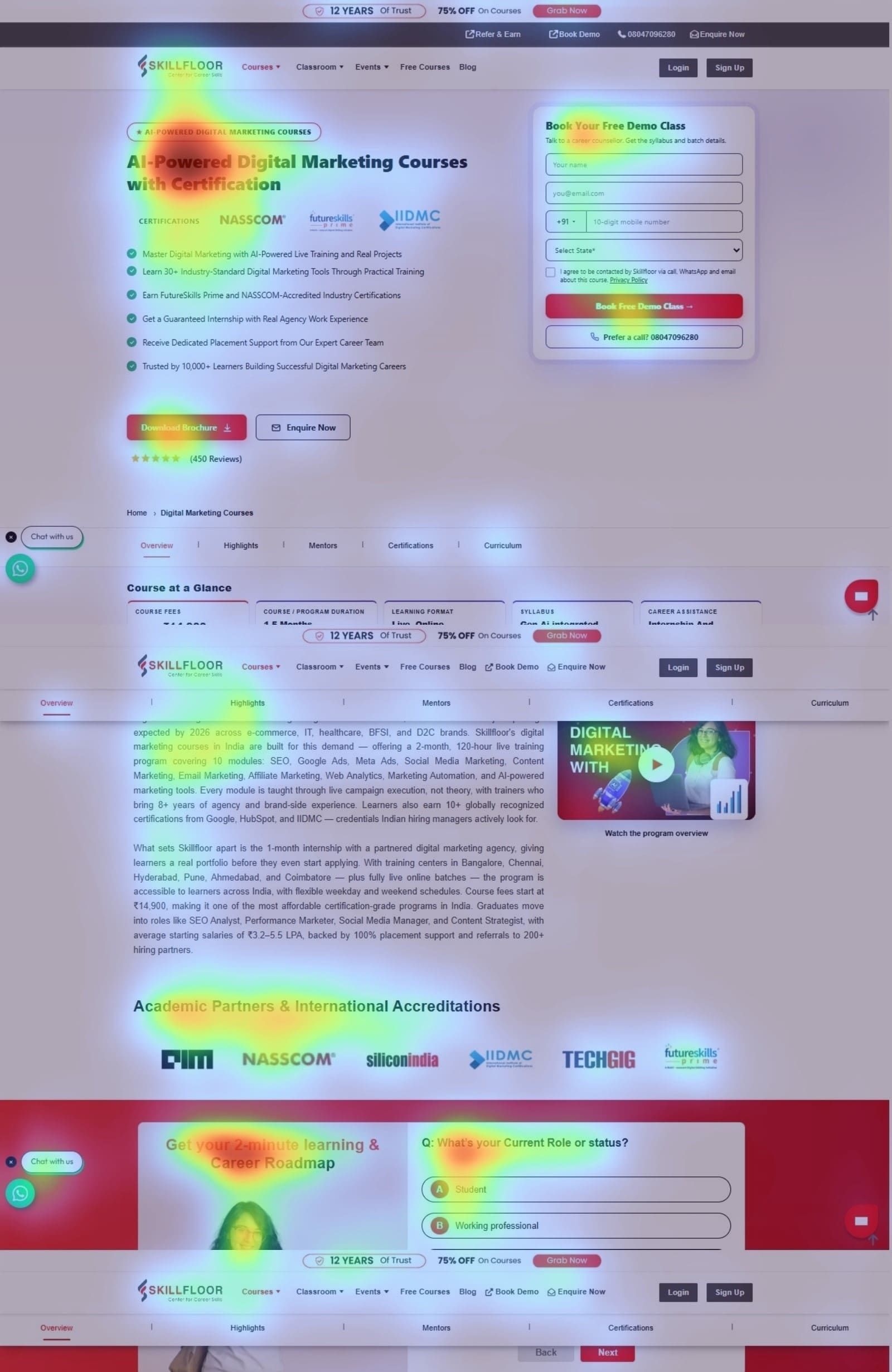
Different Types of Websites Heatmaps
Before looking at the best website heatmap tools, it is important to understand the various types of heatmaps and what they show about visitor behavior.
1. Click Heatmaps
Click heatmaps indicate where visitors click on a webpage, such as buttons, links, images, and other elements. They help marketers identify the areas that receive the most clicks.
For instance, frequent clicks on a CTA may indicate that it is well placed. Clicks on elements that are not clickable may also reveal website design problems.
2. Scroll Heatmaps
Scroll heatmaps indicate how far visitors scroll down a webpage before they leave. They help marketers see which sections visitors reach and which content they might not see.
If visitors leave before reaching important information, marketers can adjust the page layout or move key content and CTAs higher up. These insights are particularly valuable in digital marketing for improving content visibility and keeping visitors engaged.
3. Mouse Movement Heatmaps
Mouse movement heatmaps record how visitors move their mouse cursor across a webpage. They help marketers identify areas that may capture visitor interest.
These patterns can provide useful information about browsing behavior. However, mouse movements do not always accurately indicate where visitors are looking on the screen.
4. Attention Heatmaps
Attention heatmaps indicate which areas of a webpage receive more attention based on user activity or predicted visual attention, depending on the tool.
They help marketers evaluate page layouts, images, and content placement so visitors can notice important information more easily.


5. AI-Powered Heatmaps
AI-powered heatmaps use artificial intelligence to analyze visitor behavior and detect patterns across various parts of a website. They can help show which areas might need improvement.
Some tools also offer automatic suggestions and insights, helping marketers understand user activity and discover ways to improve website performance.
Top 10 Website Heatmap Tools Every Digital Marketer Should Know
Here are ten widely used website heatmap tools that enable digital marketers to analyze visitor behavior and enhance website performance.
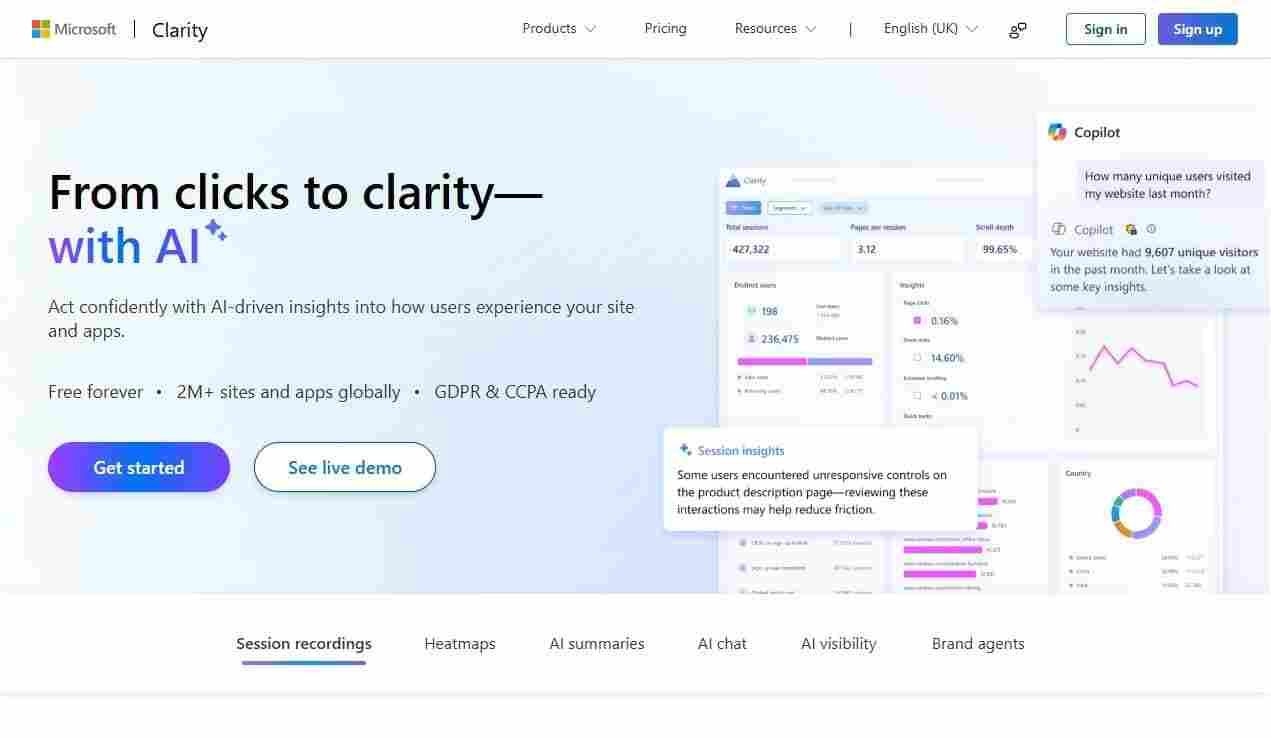
Microsoft Clarity is a free website analytics tool that uses heatmaps and session recordings to help marketers understand visitor behavior, monitor clicks, and find usability problems.
Key Features:
-
Click and scroll heatmaps.
-
Session recordings.
-
Rage click and dead click detection.
-
Google Analytics integration.
Why Digital Marketers Should Use It: Microsoft Clarity helps marketers understand how visitors behave for free by using heatmaps and session recordings to uncover navigation problems and increase website engagement.
Best For: Small businesses, startups, bloggers, and digital marketers looking for a free heatmap solution.
2. Hotjar
Hotjar is an analytics tool that uses heatmaps, session recordings, surveys, and feedback to help businesses understand visitors and improve their website experience.
Key Features:
-
Click, move, and scroll heatmaps.
-
Session recordings.
-
Surveys and user interviews.
-
User feedback widgets.
Why Digital Marketers Should Use It: Hotjar allows marketers to learn how visitors behave through heatmaps and surveys, helping them identify content problems, increase engagement, and build better website experiences.
Best For: UX designers, CRO specialists, marketing teams, and businesses focused on customer experience.
3. Crazy Egg
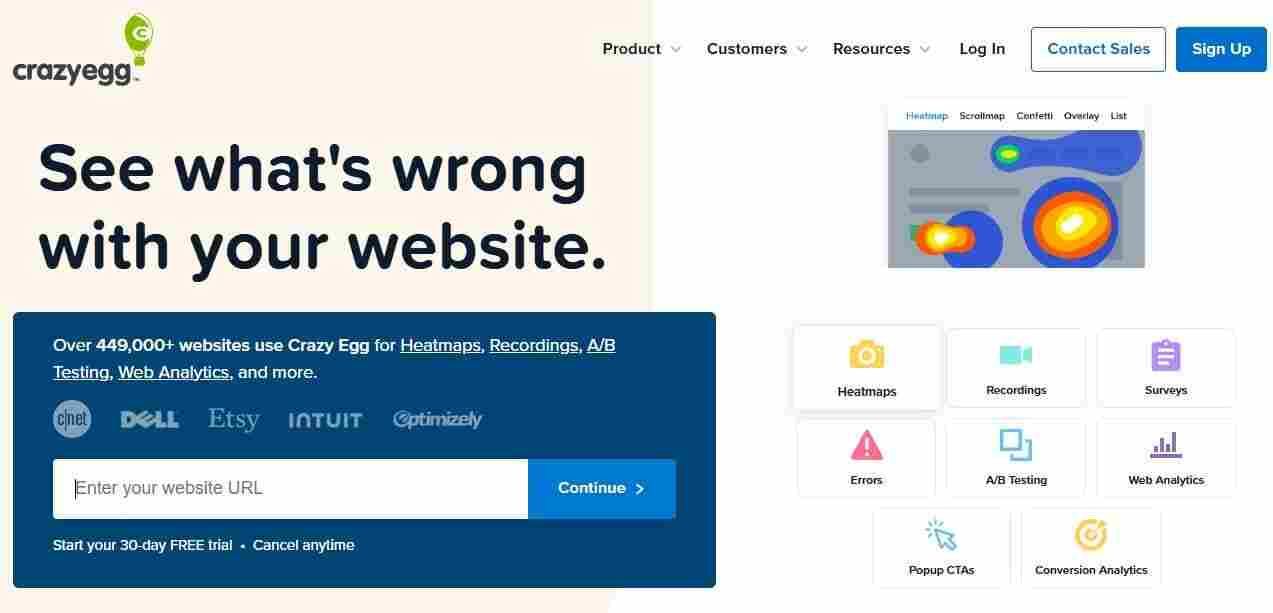
Crazy Egg is a website optimization tool that provides heatmaps, session recordings, and A/B testing to help marketers understand visitor behavior and improve page performance.
Key Features:
-
Click heatmaps.
-
Scroll maps.
-
Confetti reports.
-
A/B testing.
Why Digital Marketers Should Use It: Crazy Egg enables marketers to study landing page interactions, try different CTA placements, and compare page designs to discover ways to increase visitor engagement and conversions.
Best For: Landing page optimization, conversion rate optimization, and small to medium-sized businesses.
4. Lucky Orange
Lucky Orange is a website optimization platform that provides dynamic heatmaps, session recordings, and live chat to help businesses understand visitors and increase website engagement.
Key Features:
-
Dynamic heatmaps.
-
Session recordings.
-
Visitor journey analysis.
-
Conversion funnel analysis.
Why Digital Marketers Should Use It: Lucky Orange enables marketers to identify website problems and learn how visitors behave, helping e-commerce businesses improve product pages, navigation, and checkout experiences.
Best For: Ecommerce businesses, online stores, and conversion-focused marketing teams.
Contentsquare is a digital experience analytics platform that uses heatmaps and journey analysis to help businesses understand customer behavior and enhance website experiences.
Key Features:
-
Zone-based heatmaps.
-
Customer journey analysis.
-
Session replay.
-
Conversion analysis.
Why Digital Marketers Should Use It: Contentsquare allows marketers to follow visitor journeys, identify website problems, and apply detailed insights to improve digital experiences and boost conversions across large websites.
Best For: Enterprise businesses, large ecommerce websites, and organizations with advanced analytics requirements.
6. Mouseflow
Mouseflow is a website analytics tool that provides heatmaps, session recordings, and friction analysis to help marketers understand how visitors behave and identify usability problems.
Key Features:
-
Click and scroll heatmaps.
-
Attention heatmaps.
-
Friction detection.
-
Form analytics.
Why Digital Marketers Should Use It: Mouseflow helps marketers identify navigation and form problems, making it easier to improve website usability, simplify forms, and motivate visitors to complete actions.
Best For: CRO specialists, UX teams, and businesses looking to reduce website friction.
7. Plerdy
Plerdy is a website optimization platform that combines heatmaps, SEO, and conversion tools to help marketers understand how visitors behave and increase website engagement.
Key Features:
-
Click heatmaps.
-
Scroll tracking.
-
Session recordings.
-
SEO analysis.
Why Digital Marketers Should Use It: Plerdy allows marketers to monitor visitor interactions, enhance website performance, and manage SEO tasks, making it valuable for teams seeking several optimization tools in one platform.
Best For: SEO professionals, digital marketing agencies, and small to medium-sized businesses.
8. Smartlook
Smartlook is a behavior analytics platform that provides session recordings, event tracking, and funnel analysis to help businesses understand how users act and improve their website experiences.
Key Features:
-
Session recordings.
-
Event tracking.
-
Conversion funnels.
-
Website and mobile app analytics.
Why Digital Marketers Should Use It: Smartlook enables marketers to follow user journeys, discover where visitors abandon registration processes, and find website problems to enhance user experience and boost conversions.
Best For: Product teams, SaaS companies, and businesses analyzing complex user journeys.
Zoho PageSense is a website optimization tool that provides heatmaps, session recordings, and A/B testing, helping businesses understand visitors and enhance website performance.
Key Features:
-
Click and scroll heatmaps.
-
Session recordings.
-
A/B testing.
-
Website personalization.
Why Digital Marketers Should Use It: Using Zoho PageSense, marketers can test various headlines, page layouts, and CTA placements to identify what works best and increase website conversions based on real results.
Best For: Marketing teams, growing businesses, and organizations interested in website experimentation.
10. FullStory
FullStory is a digital experience analytics tool that uses session replay and behavioural insights to help businesses understand customer interactions and find website problems.
Key Features:
-
Session replay.
-
Digital experience analytics.
-
Frustration signals.
-
User journey analysis.
Why Digital Marketers Should Use It: FullStory helps marketers identify issues in visitor journeys, understand why conversions are affected, improve website navigation, and collaborate with product teams to build better user experiences.
Best For: Enterprise marketing teams, product teams, and businesses focused on digital experience optimization.

Comparison of the 10 Best Website Heatmap Tools
Selecting among various heatmap platforms can be difficult, particularly when their features are similar.
The table below offers a concise comparison to help you assess the available options.
|
Tool |
Key Capabilities |
Best For |
Price |
|
Microsoft Clarity |
Click and scroll heatmaps, session recordings |
Free website analytics |
Free (₹0) |
|
Hotjar |
Heatmaps, recordings, surveys |
User research |
Free / ₹3,623 per month |
|
Crazy Egg |
Click maps, scroll maps, A/B testing |
Landing page optimization |
₹2,696 per month |
|
Lucky Orange |
Dynamic heatmaps, live chat, recordings |
Ecommerce optimization |
₹2,974 per month |
|
Contentsquare |
Zone-based analysis, journey analytics |
Enterprise analytics |
Free / ₹3,623 per month |
|
Mouseflow |
Heatmaps, friction detection, form analytics |
UX optimization |
Free / ₹2,324 per month |
|
Plerdy |
Heatmaps, SEO, CRO features |
Digital marketing |
Free / ₹1,952 per month |
|
Smartlook |
Session recordings, funnels, event tracking |
Product analytics |
N/A |
|
Zoho PageSense |
Heatmaps, A/B testing, funnels |
Website experimentation |
Free / ₹720 per month |
|
FullStory |
Session replay, behavioral analytics |
Digital experience analytics |
Custom pricing |
Note: Feature availability, usage limits, and pricing depend on subscription plans and may change over time.
How to Choose the Best Website Heatmap Tool
Selecting the appropriate heatmap tool relies on your business objectives, website needs, budget, and analytics requirements. Before deciding, evaluate these five key factors.
1. Identify Your Marketing Objectives
Identify whether your aim is to increase conversions, learn how visitors behave, minimize form abandonment, or improve website navigation through user interactions.
2. Evaluate Heatmap Features
Prioritize tools with key features including click tracking, scroll tracking, mouse movement tracking, attention analysis, mobile heatmaps, and dynamic page tracking.
3. Check Integration Options
For smooth data analysis, select tools that integrate with Google Analytics, Google Tag Manager, CMS platforms, ecommerce systems, and marketing automation software.
4. Compare Pricing and Scalability
Evaluate free plans, subscription pricing, traffic limits, recording capacity, website support, and advanced features to ensure the tool can support your future business needs.
Training institutes like Skillfloor also help aspiring digital marketers build practical knowledge of website analytics, marketing tools, and performance optimization.
5. Review Privacy and Security
Review sensitive data masking, consent management, data retention policies, and privacy compliance documentation to safeguard visitor information and uphold regulatory compliance.
Benefits of Using Website Heatmap Tools for Digital Marketing
Website heatmap tools help marketers understand visitor behavior, find website problems, enhance user experience, and improve conversions through visual insights and data-based marketing decisions.
1. Understand Visitor Behavior
Visual heatmaps show how visitors engage with website elements, helping marketers find popular sections, click behaviors, and areas that receive less attention.
2. Improve Landing Page Conversions
Find poorly placed CTAs, unclear layouts, and ignored content to optimize landing pages, enhance visitor experiences, and create more conversion opportunities.
3. Optimize CTA Placement
Study click and scroll patterns to assess CTA visibility, understand user behavior, and improve button placement, messaging, and engagement.
4. Identify Content Engagement Problems
Use scrolls tracking and data analytics to find overlooked content, understand visitor engagement, and improve article structure, readability, and content placement.
5. Make Data-Driven Marketing Decisions
Combine heatmap insights with website analytics, surveys, and A/B testing to find optimization opportunities and make informed digital marketing decisions.
Learning to interpret these insights is also valuable for students pursuing a digital marketing course, as it helps them develop practical skills in website analysis and conversion optimization.
Best Practices for Using Website Heatmap Tools Effectively
Effective use of website heatmap tools depends on regular monitoring, accurate data analysis, and organized testing. Apply these best practices to gain useful insights and enhance website performance.
1. Analyze High-Traffic Pages First
Focus on landing pages, product pages, and key conversion pages to see how visitors interact and find ways to optimize the website.
2. Segment Desktop and Mobile Visitors
Review desktop and mobile heatmaps separately to understand behavior on each device, find usability problems, and improve browsing on different screen sizes.
3. Combine Heatmaps with Session Recordings
Use heatmaps and session recordings with data analytics to understand visitor behavior, identify usability issues, and make informed website improvements.
4. Use Sufficient Data and Run A/B Tests
Gather enough visitor sessions before making decisions, then test website updates with A/B experiments to measure their real effect on performance.
5. Review Results and Protect Visitor Privacy
Track behavior changes regularly, assess optimization outcomes, and set suitable data masking, consent settings, and privacy controls to safeguard visitor information.
Common Mistakes to Avoid When Using Heatmap Tool
Even the most effective heatmap tools may lead to inaccurate insights if the data is misunderstood. Avoid these five frequent errors to improve website optimization.
-
Assuming Clicks Always Indicate Interest: A high number of clicks does not always mean visitors are truly interested. Consider visitor intent and page context before determining whether website elements are effective.
-
Ignoring Mobile Behavior: Do not depend only on desktop heatmaps. Examine mobile interactions separately to find usability problems and improve experiences on different screen sizes.
-
Analyzing Insufficient Data: Do not make optimization choices using only a small number of visitor sessions. Gather enough behavioral data to recognize dependable patterns and reduce inaccurate conclusions.
-
Ignoring Website Context: Review heatmap insights together with page content, traffic sources, conversion rates, and visitor behavior to understand why interaction patterns occur.
-
Making Changes Without Testing: Do not make website changes based only on assumptions. Conduct A/B testing to measure performance gains and confirm optimization decisions before making them.
Frequently Asked Questions (FAQs) About Website Heatmap Tools
1. What is the best free website heatmap tool?
Microsoft Clarity is one of the best free websites heatmap tools, offering click tracking, scroll heatmaps, and session recordings to understand visitor behavior.
2. How do website heatmap tools work?
Website heatmap tools collect visitor interaction data through tracking scripts and display clicks, scrolling, and mouse movements using color-coded visualizations.
3. What are the different types of website heatmaps?
The main types include click maps, scroll maps, mouse movement maps, attention maps, and engagement heatmaps. Each helps analyze different aspects of visitor behavior.
4. Can website heatmap tools improve conversion rates?
Yes. Heatmap tools help identify conversion barriers, optimize CTA placement, improve page layouts, and understand visitor interactions to support better conversion rates.
5. Are website heatmap tools useful for SEO?
Yes. Heatmaps help improve content engagement, website navigation, and user experience by showing how visitors interact with website pages. However, they are not direct Google ranking factors.
Website heatmap tools help you see what visitors like, where they click, and which areas of your website could be improved. Whether you select a free tool such as Microsoft Clarity or an advanced platform like Contentsquare, the best option depends on your goals, budget, and website requirements.
The true benefit comes from using visitor insights to make valuable improvements to your website. Begin by finding a tool that meets your needs, test various page elements, and continue improving your website based on real user behavior. Over time, small changes can greatly improve user experience, engagement, and conversions.
Digital Marketing Courses in Other Locations in India
Ahmedabad | Aurangabad | Bangalore | Bhilai | Bhopal | Bhubaneshwar | Chandigarh | Chennai | Cochin | Coimbatore | Dehra Dun | Delhi | Faridabad | Ghaziabad | Gorakhpur | Guntur | Gurgaon | Guwahati | Hyderabad | Jaipur | Kanpur | Khammam | Kolkata | Lucknow | Madurai | Mumbai | Mysore | Nagpur | Noida | Patna | Pondicherry | Pune | Ranchi | Shimoga | Surat | Thane | Thiruvananthapuram | Tiruchirappalli | Tirupati | Vadodara | Visakhapatnam | Warangal | Jalandhar | Jodhpur | Indore | Durgapur | Jamshedpur | Dhanbad | Kota | Karnal | Udaipur | Amritsar | calicut | Nashik | Ludhiana | varanasi | thrissur | Mangalore | Raipur |